
If your workspace was seeded with the default examples, start there. They exercise the main platform features without any setup work.
1. Open the seeded projects
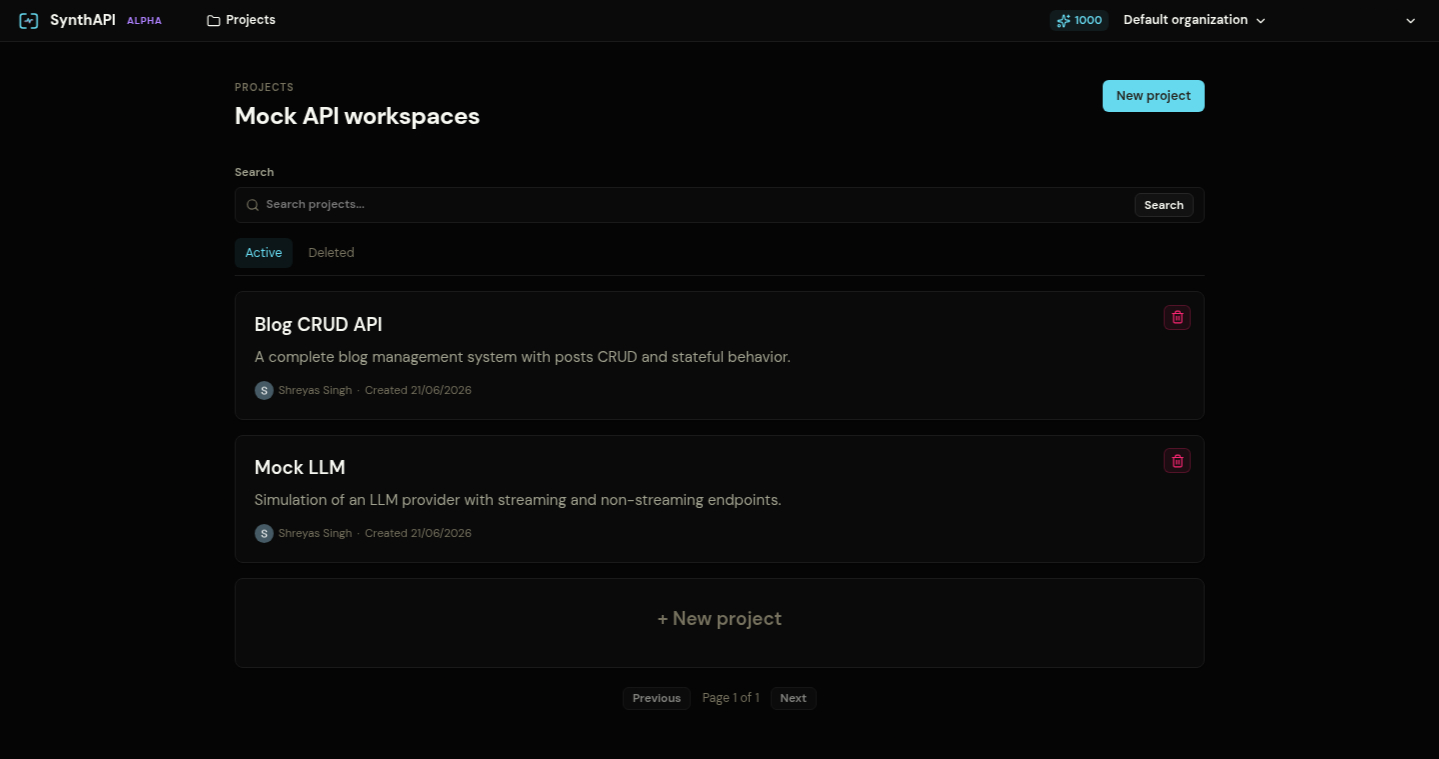
After signing in, the Projects screen should contain:
Blog CRUD APIMock LLM
2. Open a project and inspect its APIs
Open Blog CRUD API first. This project contains five endpoints for a small stateful REST system.
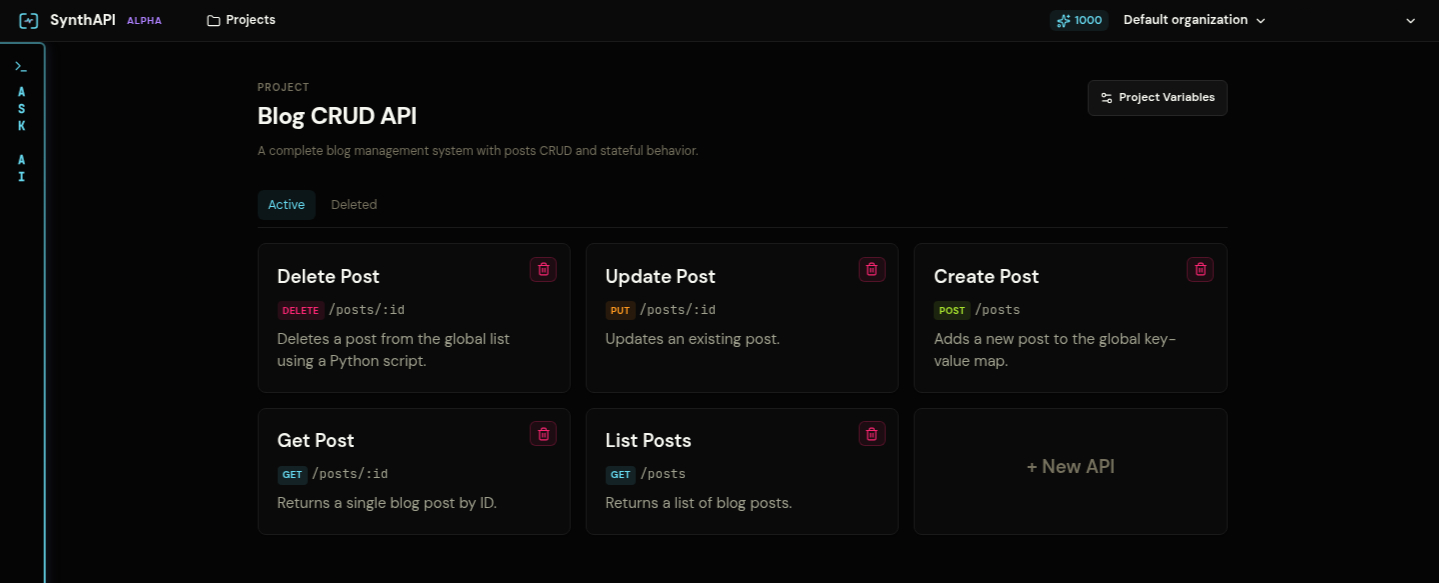
Each tile on this screen is a Mock API. Click one to open its responses.
3. Understand the response editor
Open List Posts. On the left, you will see the ordered response list. On the right, you edit the selected response through three tabs:
Response: status code, body, headers, cookies, and default flagActions: state mutation that runs after this response is sentRules: matching logic that decides whether this response should be selected
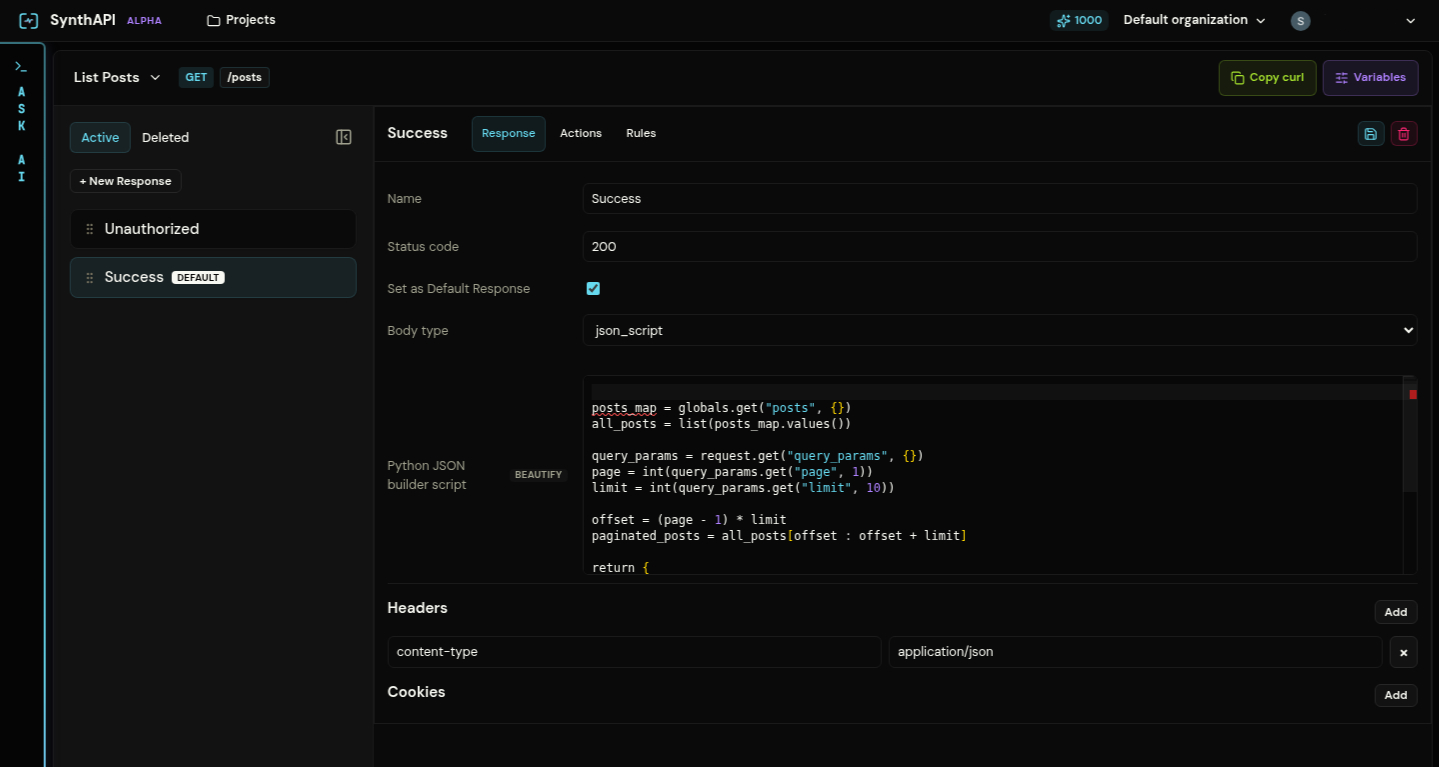
The selected Success response is the default branch. Its body type is json_script, which means Python computes the JSON payload at request time.
4. Test a mock endpoint
Use Copy curl in the top-right of a mock API page, or call the mock URL directly.
curl -i https://synthapi.dev/mock/<project-slug>/postsThat request should match the Unauthorized response because the seeded project expects a bearer token.
curl -i \
  -H "Authorization: Bearer synth-secret-token" \
  "https://synthapi.dev/mock/<project-slug>/posts?page=1&limit=10"
That request reaches the default Success response and returns paginated posts from project state.
5. Continue with the full walkthroughs
- Platform Overview explains the UI and response model in detail.
- Blog CRUD API walks through a full CRUD setup with rules and post-response actions.
- LLM SSE Events walks through streaming responses over SSE.