
Platform Overview
SynthAPI is easiest to understand from the UI outward. You start with a project, open one of its APIs, and then configure the ordered responses that define runtime behavior.
Projects and APIs
The Projects page is the top-level entry point. In the seeded workspace, you will typically see a stateful REST example and a streaming LLM example.
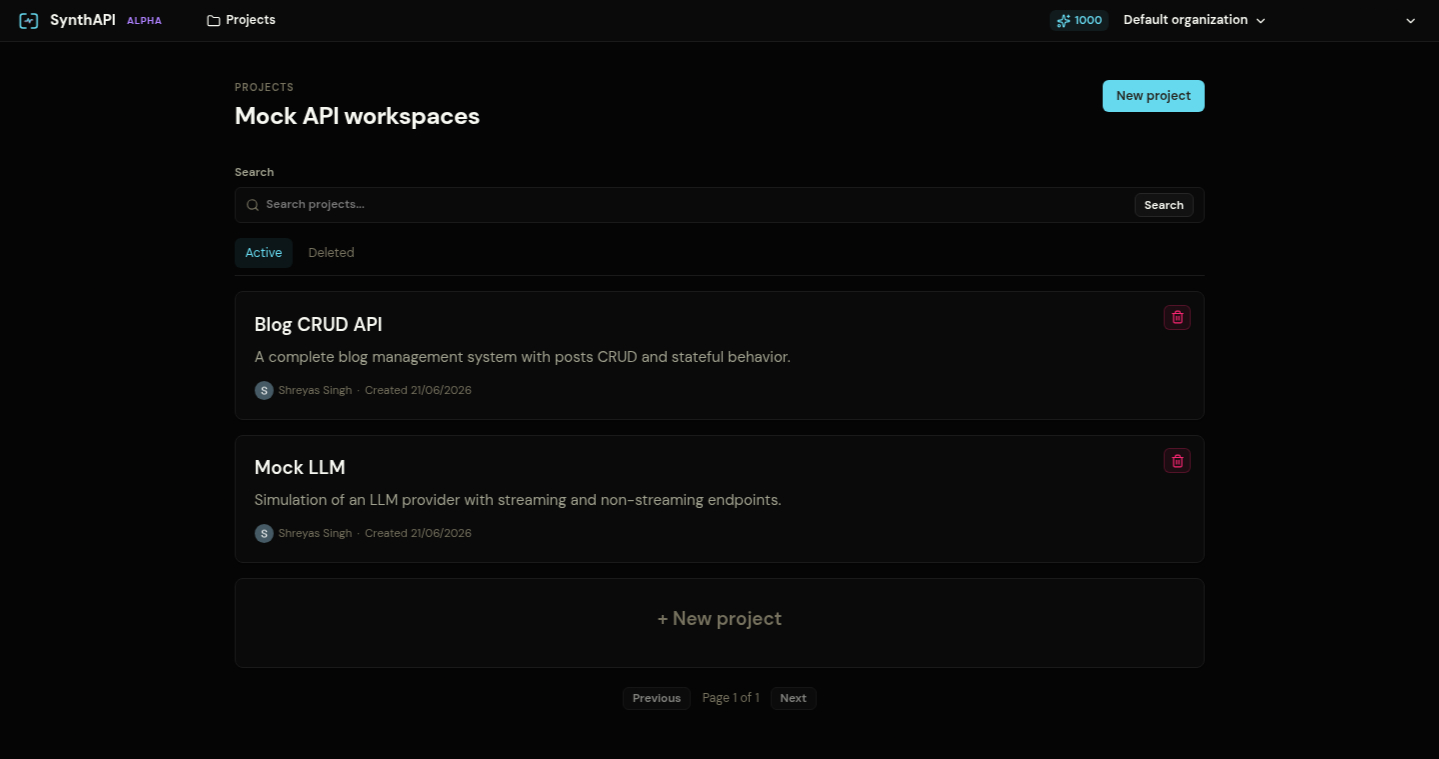
Open a project to see its mock APIs.
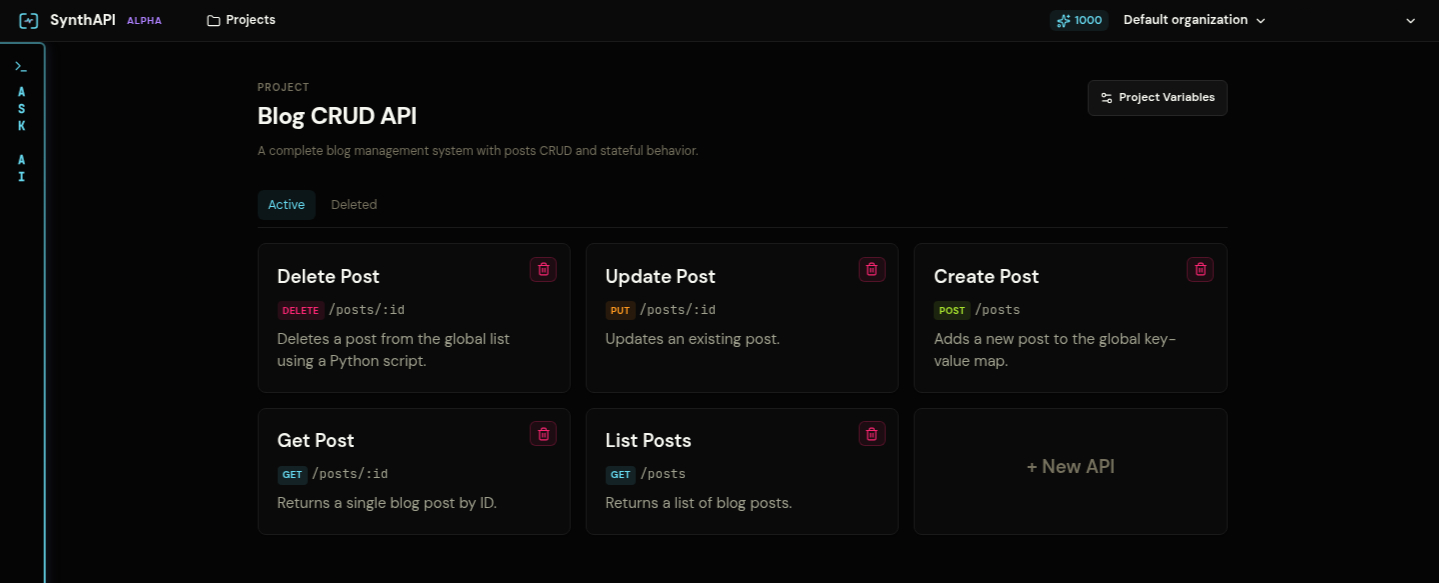
Each API is a method and path pair. Examples from the seeded projects:
GET /postsPOST /postsGET /posts/:idPOST /v1/chat/completionsPOST /v1/chat/completions/stream
The response-centric workflow
Most work happens inside a response. A single mock API can have multiple possible responses, and each response answers three questions:
- What should be returned?
- When should it match?
- What state should change afterward?
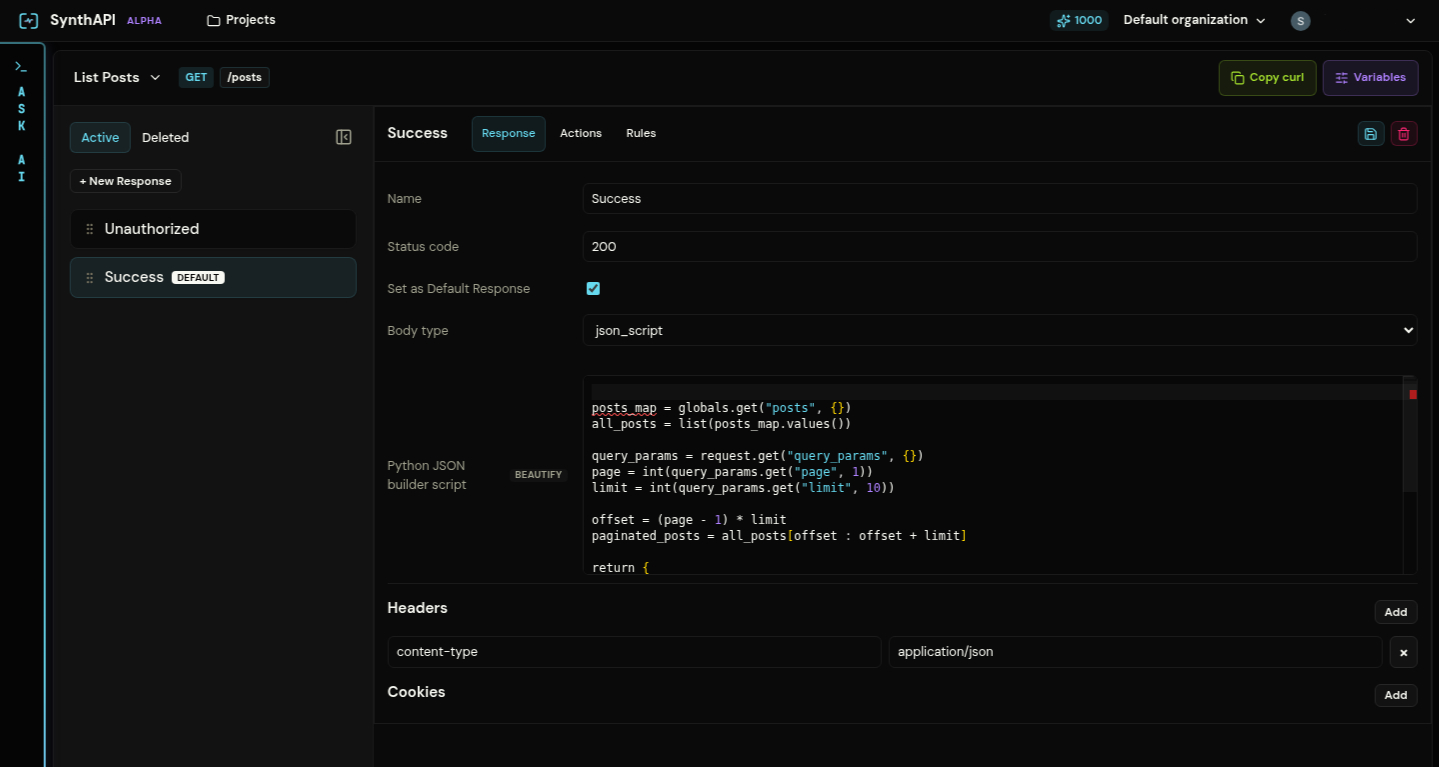
The UI exposes those questions as three tabs:
ResponseActionsRules
The selected response also shows its place in the response order and whether it is the default fallback.
Why the response list matters
The response strip on the left is not just navigation. It is the actual evaluation order used by the runtime.
- Responses are checked from top to bottom
- The first matching response wins
- A default response is the fallback when no earlier rule matches
That is why the seeded projects consistently place Unauthorized and validation failures before the success case.
Next pages
- Responses and Ordering explains what a response contains and how matching order works.
- Rule Trees and Post-Response Actions explains the logic and mutation layers in detail.