
Rule Trees and Post-Response Actions
The Rules and Actions tabs turn a static response into a stateful branch in a larger workflow.
Rule Trees
A rule tree decides whether a response matches the current request.
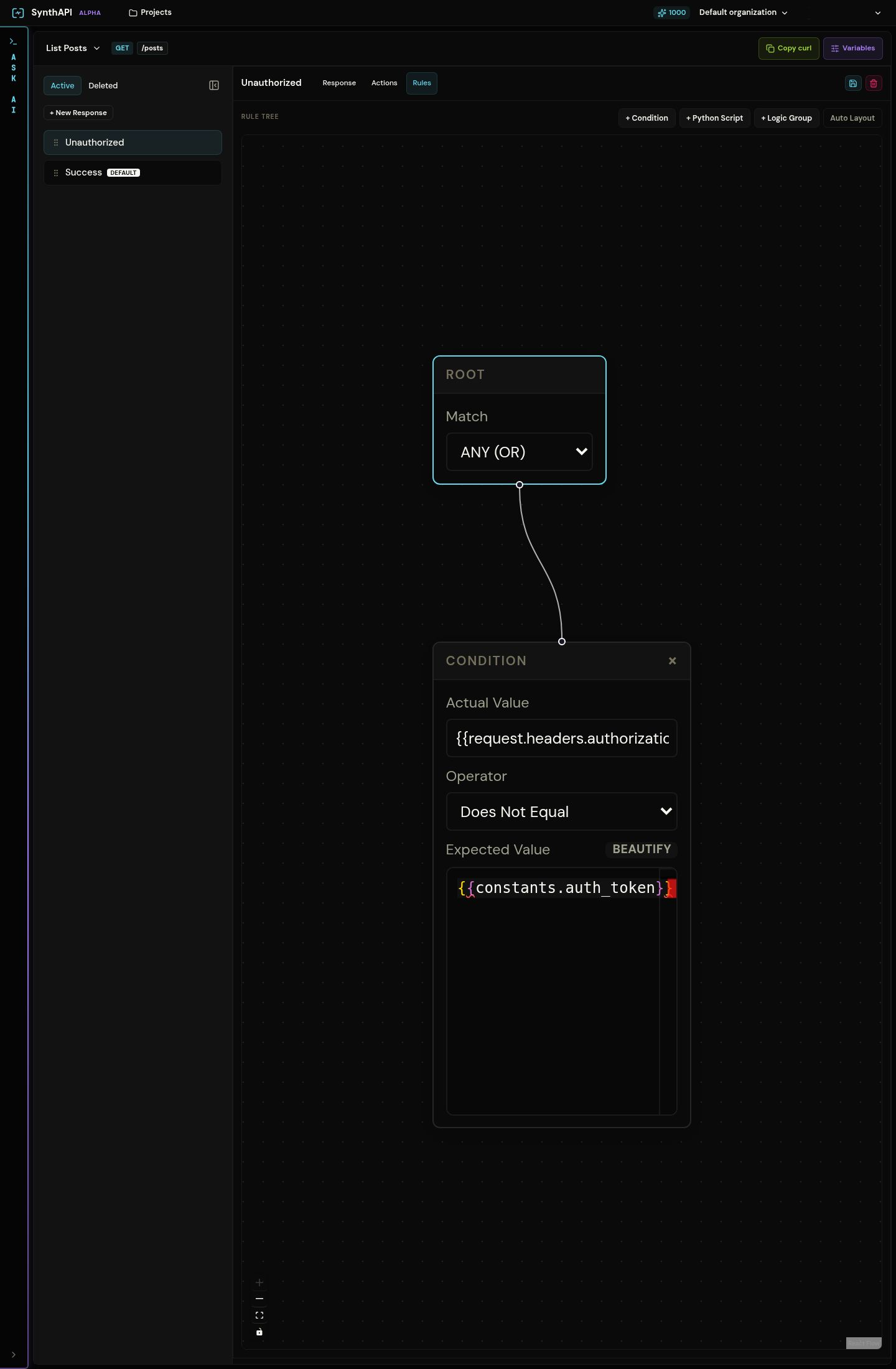
Each rule tree starts at a root node and can contain:
- logic groups with
ANDorOR - simple predicates
- custom Python predicates
What simple predicates check
Simple predicates compare an actual value from the request or state against an operator and, when needed, an expected value.
Common examples:
{{request.headers.authorization}}does not equal{{constants.auth_token}}{{request.body.value.model}}is an empty string{{request.body.value.temperature}}is greater than2
When to use custom Python predicates
Use a Python predicate when the condition depends on logic that is awkward to express as a single comparison.
The seeded projects use custom predicates for cases such as:
- checking whether a requested blog post ID exists in
globals.posts - validating a request body against several business rules at once
Post-response actions
A post-response action runs after the response has already been returned to the client. This is the mutation layer of the platform.
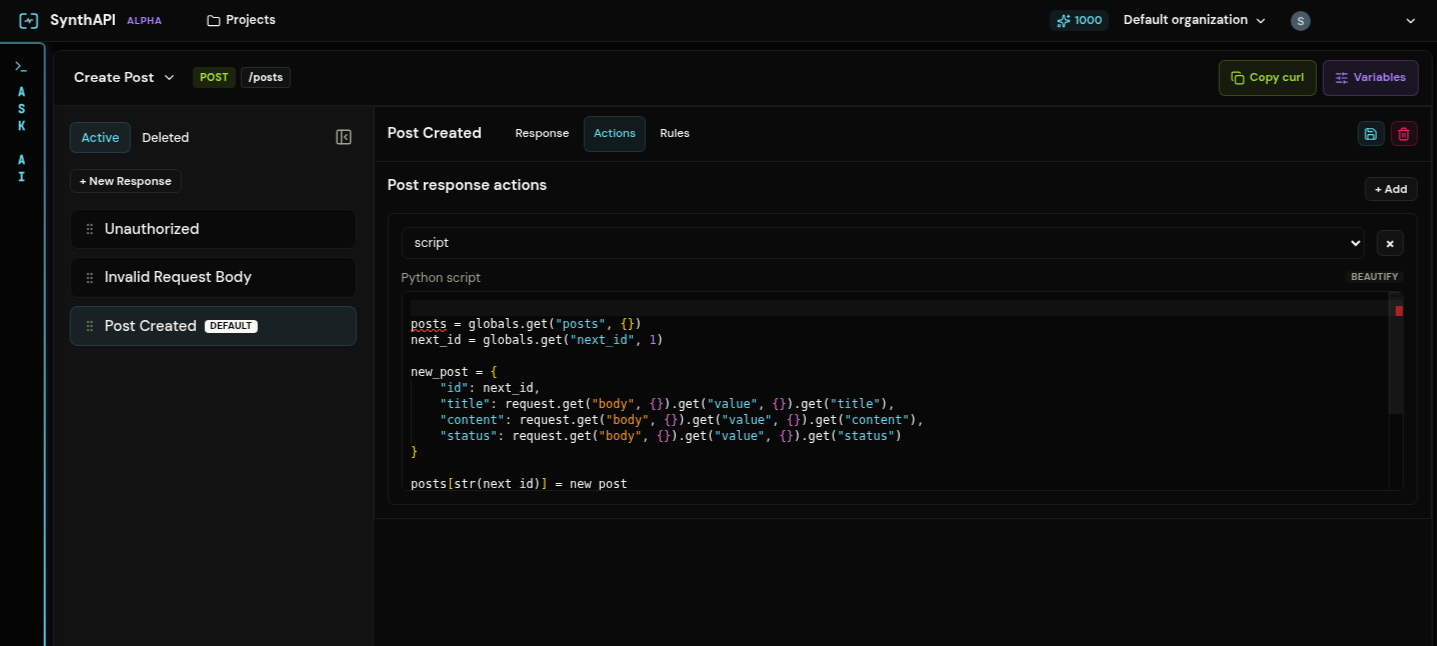
Available action types are:
setunsetincrementdecrementappendremovescript
The first six handle direct variable updates. The script action lets Python compute one or more actions dynamically.
What actions are for
Actions are how you model stateful workflows:
- create a record after a
201 - update a shared object after a
200 - increment counters after a successful request
- remove data after a delete flow
In the seeded Create Post example, the Post Created response returns 201 immediately and then:
- writes the new post into
globals.posts - increments
globals.next_id - increments
globals.total_posts
That is why the next request sees different project state even though the response itself is just a JSON payload.
Rules versus actions
Keep the split clear:
- Rules decide whether this response should be selected
- Actions mutate state after that response is selected
If a condition should block the response, it belongs in Rules. If state should change because the response already happened, it belongs in Actions.