
Blog CRUD API
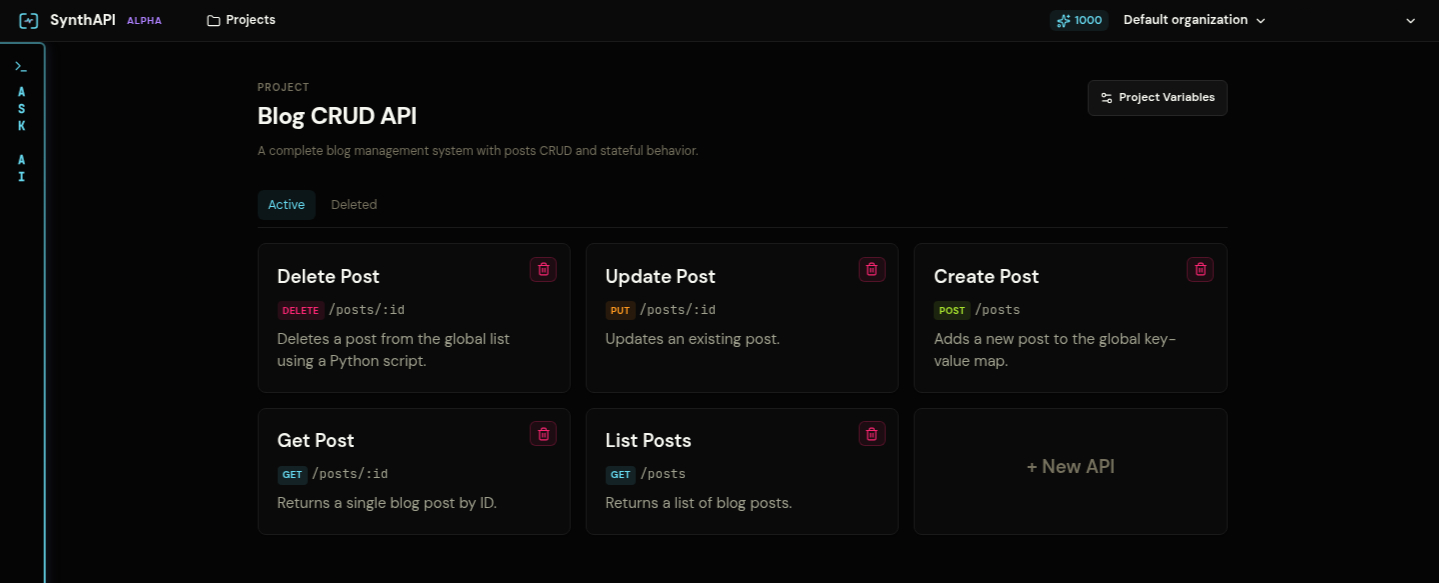
This walkthrough mirrors the seeded Blog CRUD API project. It shows how to model a small REST backend with shared state, conditional responses, and post-response actions.
What you are building
The finished project contains:
GET /postsGET /posts/:idPOST /postsPUT /posts/:idDELETE /posts/:id
It also stores shared project state in:
globals.postsglobals.next_idglobals.total_postsconstants.auth_token
1. Create the project variables
Create a project named Blog CRUD API and add:
globals.posts = {}
globals.next_id = 1
globals.total_posts = 0
constants.auth_token = Bearer synth-secret-token
These variables are enough to simulate a tiny post store with authorization.
2. Add the List Posts API
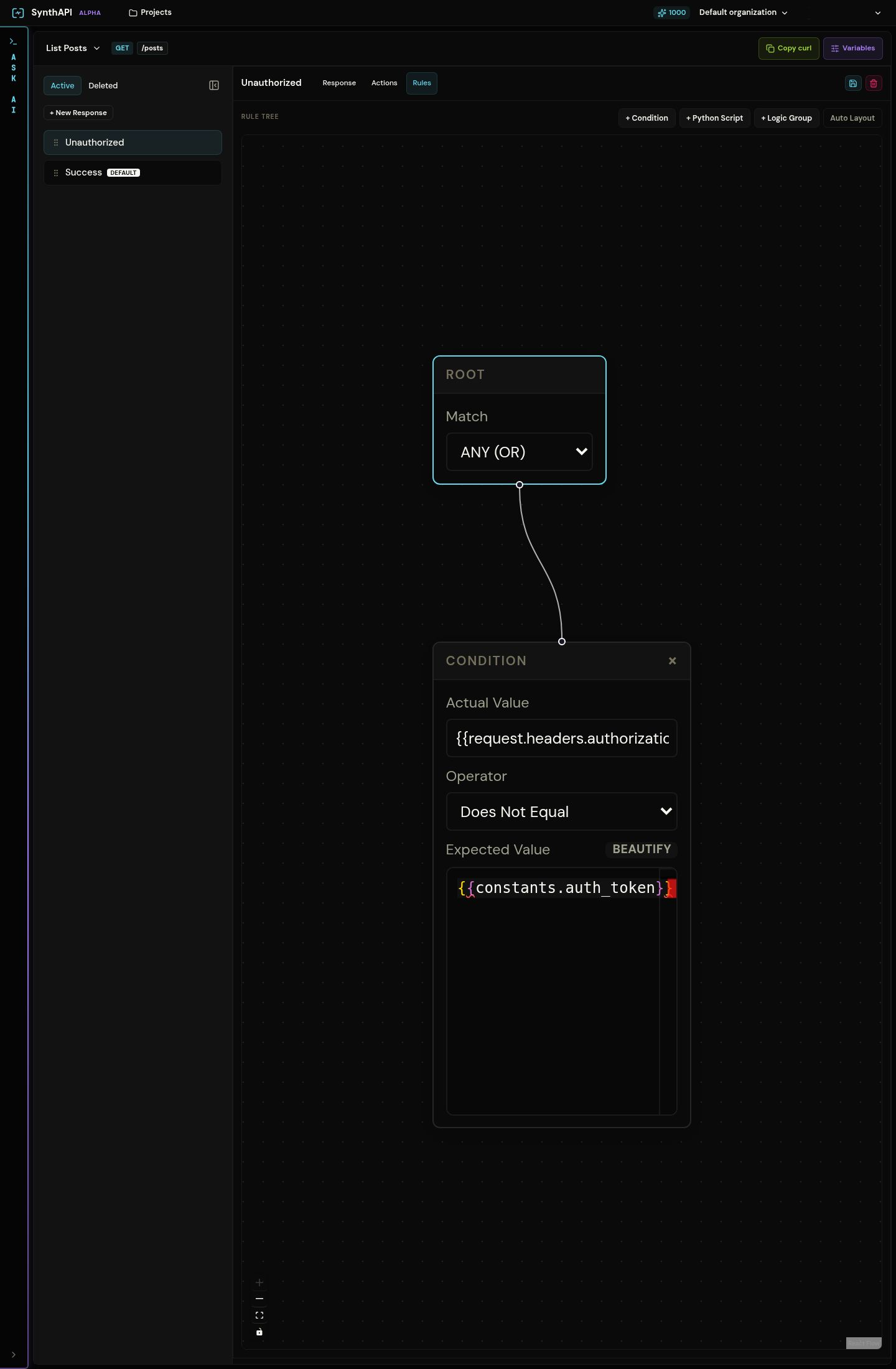
Create GET /posts with two responses:
UnauthorizedSuccessas the default response
The Unauthorized response should return 401 when the authorization header does not match the expected bearer token.
The Success response should return 200 and use json_script to paginate posts from globals.posts.
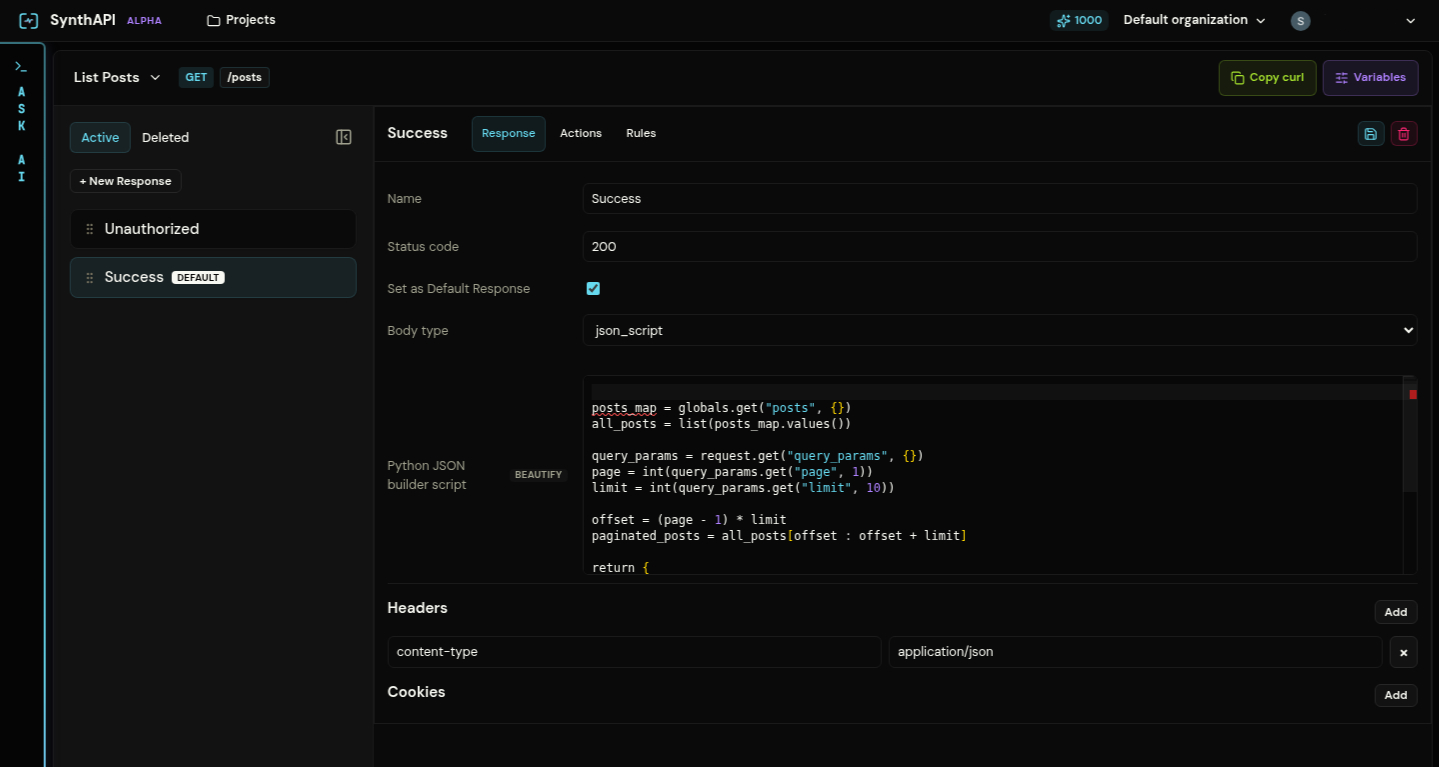
Use this shape in the script:
posts_map = globals.get("posts", {})
all_posts = list(posts_map.values())

query_params = request.get("query_params", {})
page = int(query_params.get("page", 1))
limit = int(query_params.get("limit", 10))

offset = (page - 1) * limit
paginated_posts = all_posts[offset : offset + limit]

return {
    "data": paginated_posts,
    "meta": {
        "total": len(all_posts),
        "page": page,
        "limit": limit
    }
}
3. Add Get Post with a not-found branch
Create GET /posts/:id with three responses:
UnauthorizedNot FoundSuccessas the default
Use a custom Python predicate for Not Found so the response matches when the requested :id does not exist in globals.posts.
Keep the final Success response default and return the selected post with json_script.
4. Add Create Post with validation and post-response mutation
Create POST /posts with three responses:
UnauthorizedInvalid Request BodyPost Createdas the default
The validation branch should return 400 when:
titleis missing, empty, or too longcontentis missing, empty, or too longstatusis notdraftorpublished- another post already uses the same title
The Post Created response returns 201, then writes the new post into project state using a script action.
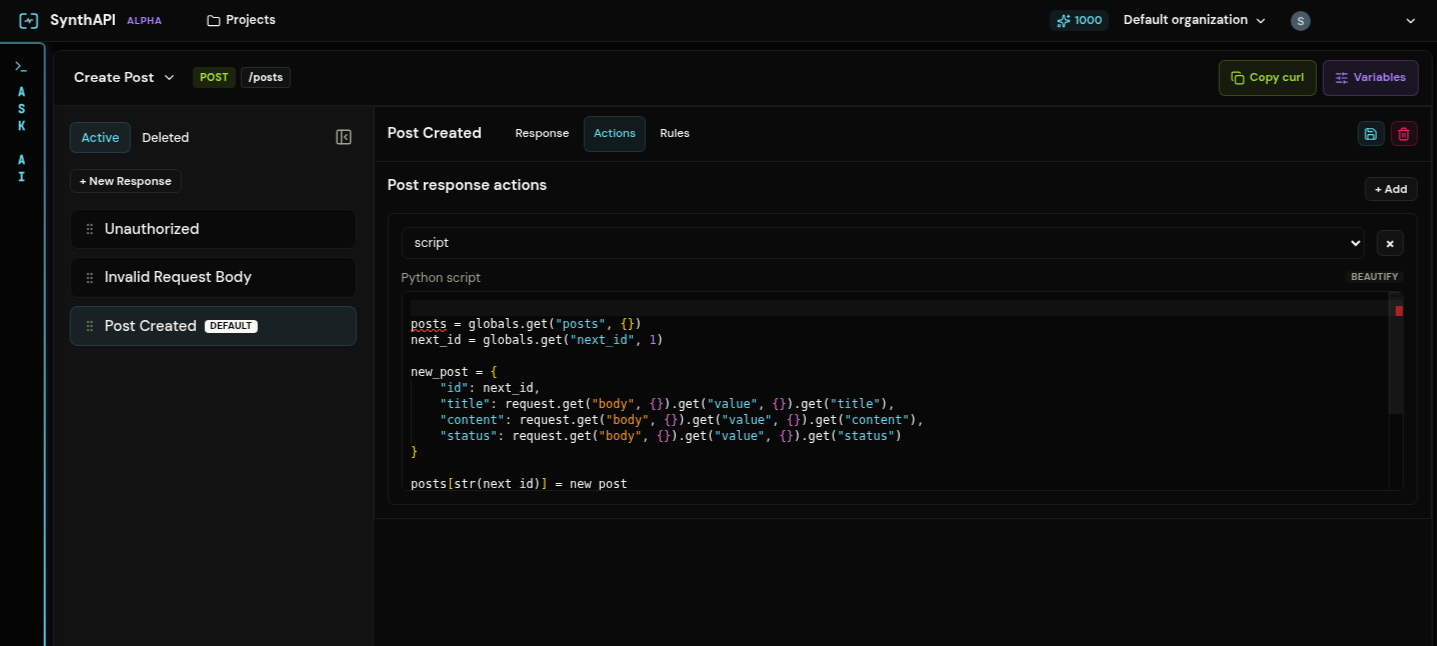
The script should generate actions that:
- set
globals.posts - increment
globals.next_id - increment
globals.total_posts
5. Add Update Post
Create PUT /posts/:id with:
UnauthorizedNot FoundPost Updatedas the default
Reuse the same missing-ID pattern from GET /posts/:id. In the default response, use a script action to merge request fields into the stored post and write the updated globals.posts map back to project state.
6. Add Delete Post
Create DELETE /posts/:id with:
UnauthorizedNot FoundSuccessas the default
The default response returns a success message, then deletes the post from globals.posts and decrements globals.total_posts.
7. Test the flow
Replace <project-slug> with your mock project slug.
curl -i https://synthapi.dev/mock/<project-slug>/postsThis should return 401.
curl -i \
  -H "Authorization: Bearer synth-secret-token" \
  -H "Content-Type: application/json" \
  -d '{"title":"Hello","content":"World","status":"draft"}' \
  https://synthapi.dev/mock/<project-slug>/posts
This should return 201 and create post 1.
curl -i \
  -H "Authorization: Bearer synth-secret-token" \
  https://synthapi.dev/mock/<project-slug>/posts/1
This should now return the stored post.
What to verify
- invalid auth always matches before any success branch
- invalid request bodies stop before state mutation
- successful create, update, and delete calls change later reads
- the default success response stays last in each API